
What is Treehouse?
A shared workspace of plain files that people and agents both work in, with the sharing, history and review that plain folders lack.
Agents are good at working with files. They read folders, grep for what they need, write markdown and move things around. Teams are good at working together: sharing, reviewing, keeping track of who changed what. Until now you had to choose. A folder on your laptop is great for an agent but hard to share. A wiki or a doc tool is great for sharing but gives an agent a clumsy API to fight.
Treehouse is both. A workspace is a set of plain files and folders, the same kind your agents already know how to use, with the things a team needs built around them.
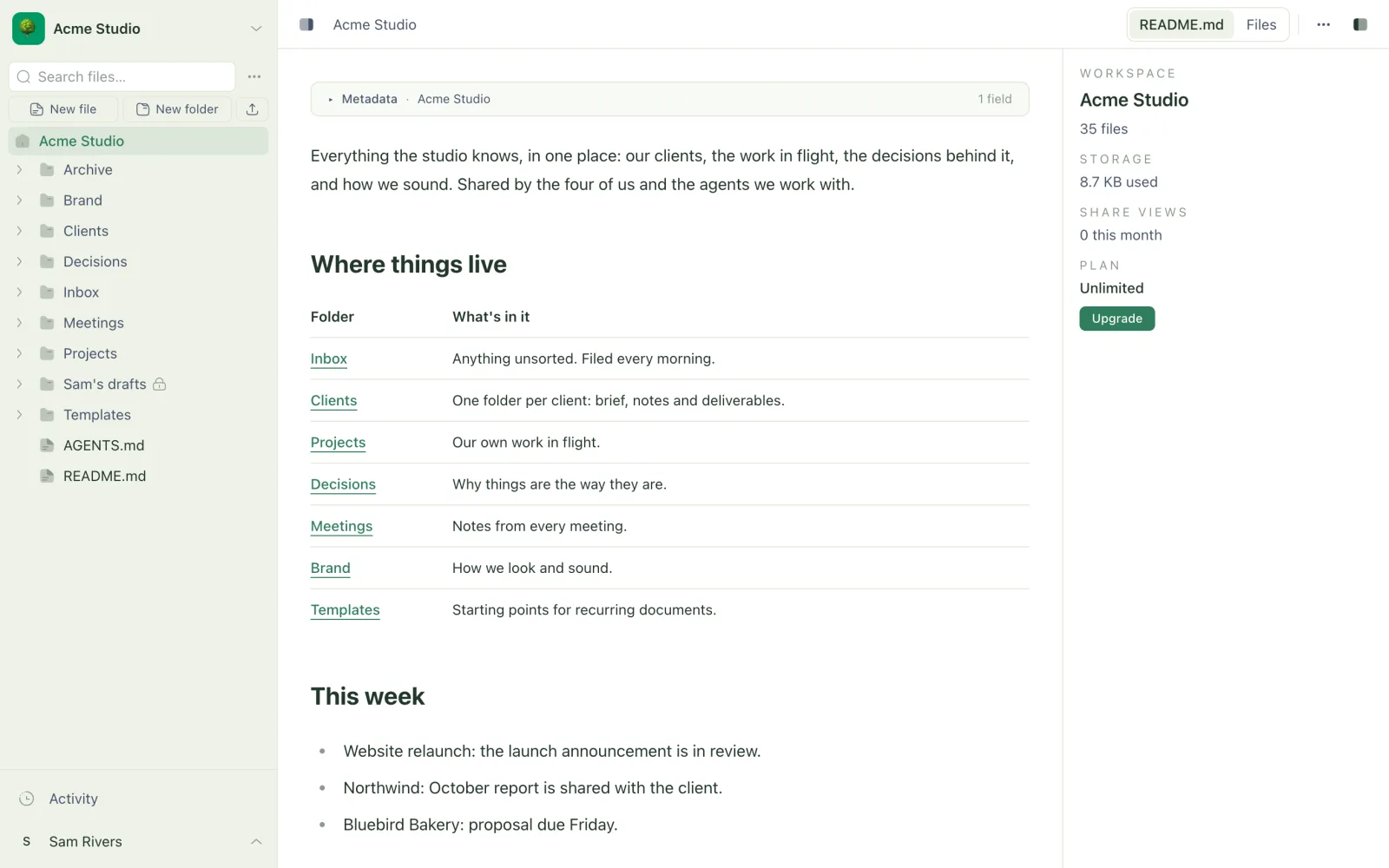
One workspace, three ways in
Everyone works on the same files, each in the way that suits them:
- The web app at app.trytree.house, for reading, writing, commenting and sharing from any browser.
- A synced folder on your computer, kept in step by the desktop app or the sync CLI. Anything on your machine can use it, including coding agents like Claude Code.
- The MCP server and REST API, for agents that don't have your filesystem. Connecting one takes a single command.
A change made in any of them shows up in the others within seconds.
What Treehouse adds to a folder
- Nothing is lost. Every file keeps its full history, and any version can be restored. When two people (or a person and an agent) edit the same file at once, both versions are kept as a conflicted copy rather than one silently overwriting the other.
- You can see who did what. The activity feed shows every change, and marks which came from a person and which from an agent.
- Sharing is built in. Invite teammates into a workspace, or share a link to one file or folder with anyone, with an optional password.
- Review happens in place. Select text in a markdown file and comment on it. Agents can read those comments, make the changes and reply.
- Folders become pages. A folder's
README.mdis shown as its front page, and a folder of dated notes can open as a calendar.
What Treehouse is not
Treehouse is where your team's work lives, not the thing that does the work. It doesn't run agents, call AI models or run anything on a schedule. You bring the agents (Claude Code, Codex, Cursor or anything that can use files or MCP) and point them at your workspace. The playbooks show how to set that up so they're genuinely useful.
Next steps
- Quickstart: make a workspace and connect your first agent.
- How Treehouse works: versions, conflicted copies and attribution in a few minutes.
Related
- Quickstart
Create a workspace, sync it to your computer, connect an agent and let it set things up. About ten minutes.
- How Treehouse works
Workspaces, versions, conflicted copies and attribution - the handful of ideas the rest of Treehouse is built on.
- How agents work with Treehouse
The two ways an agent can reach a workspace, what it can do there, and how its work shows up for everyone else.
Last updated