
Conflicted copies
When two edits to the same file collide, Treehouse keeps both. Here's what a conflicted copy is, how to spot one and how to resolve it.
Why they happen
Every save says which version of the file it was based on. Usually that's the latest one, and the save simply becomes the next version. But sometimes two people, or a person and an agent, start from the same version and both save. The first save wins and becomes the new version. The second is now based on an out-of-date version, so saving it over the top would silently throw away the first person's work.
Treehouse doesn't do that, and it doesn't throw away the second save either. It keeps the second save as a separate file next to the original: a conflicted copy. Both versions are safe, and a person or agent decides how to combine them.
If the two saves are identical, there's nothing to keep and no copy is made.
How to recognise one
A conflicted copy sits in the same folder as the original, with a name like this:
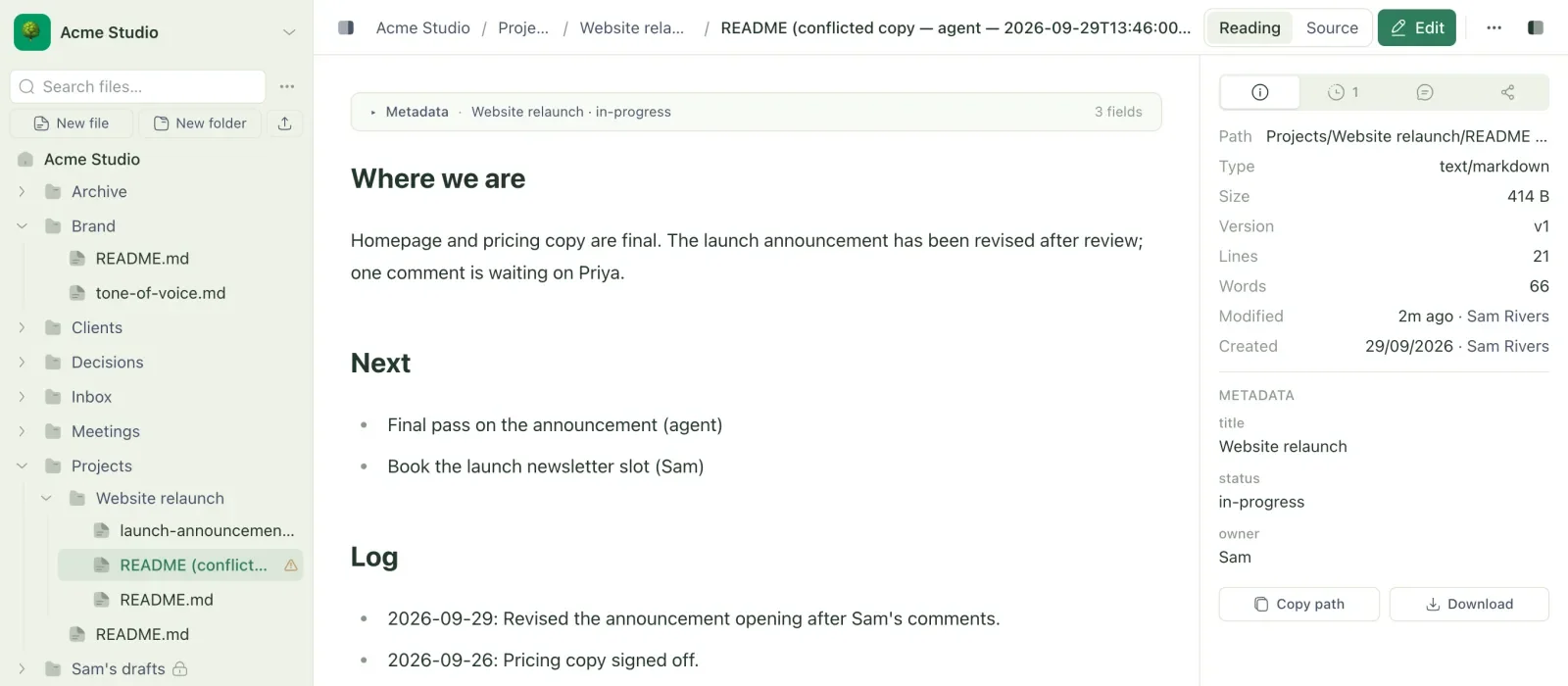
report (conflicted copy — human — 2026-09-29T10:15:00.000Z).md
humanoragentsays whose save arrived second. The copy holds their version.- The timestamp is when the copy was made, in UTC.
- If two copies would get the same name, the later one has
(2)added before the extension.
In the web app you'll also see:
- a ⚠ after the copy's name in the sidebar, with the tooltip
Conflicted copy — both versions kept; resolve manually; - a 1 conflicted copy (or N conflicted copies) notice at the top of the original's details panel, linking to each copy;
- a banner in the editor if it was your own save that became the copy: "This file changed on the server, so your save was kept as a copy".
Copies of a private file stay private to the same person, and copies inside a private folder are covered by the folder.
Edits beat deletes
The same rule works the other way. If someone deletes a file while you're editing it, your save brings the file back rather than being lost. An edit always wins over an out-of-date delete.
Resolve a conflicted copy
- Open the original and the copy, and compare them. The original's history shows who made each change.
- Edit the original so it has everything you want to keep from both.
- Save the original.
- Delete the copy.
Treehouse never merges or deletes copies on its own. Until someone resolves it, the copy is an ordinary file.
In a synced folder
The same thing happens on disk. If you edit a file in your synced folder while someone else changes it in the workspace, your version is saved under the conflicted-copy name in your folder, and the original is updated to their version. Nothing on your computer is lost. See how sync works.
For the protocol details, see versions and conflicts.
Related
- See and restore earlier versions
Look through every change to a file, see who made it, view or restore an older version, and catch up on what changed while you were away.
- How sync works
What the sync engine does in the background, which files it skips, and how it protects your work when things go wrong.
- Versions and conflicts
The concurrency contract every Treehouse client shares - version numbers, compare-and-swap writes, conflicted copies, deletes, moves and restores.
Last updated